Build your knowledge base
Upload documents or crawl websites so the agent can ground replies in your pricing, FAQs, and docs.
The Knowledge Base is the source material the agent retrieves from when drafting replies. Add files and crawl pages so answers reflect your real pricing, policies, and FAQs instead of generic text.
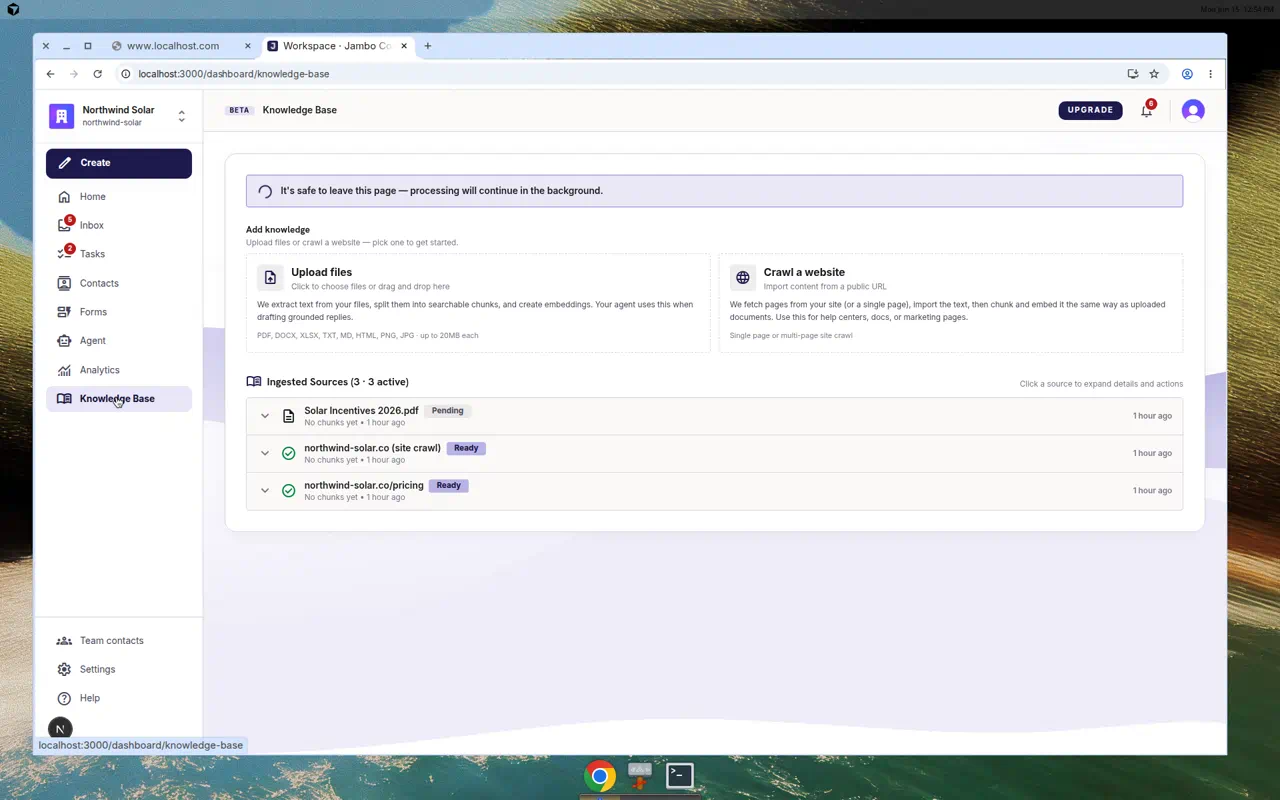
Add knowledge
Upload files
Click the upload area ("Click to choose files or drag and drop here"). Supported formats: PDF, DOCX, XLSX, TXT, MD, HTML, PNG, JPG, up to 20 MB each.
There is no separate "FAQ" editor. To add FAQ-style content, upload a TXT/MD file or crawl your FAQ page.
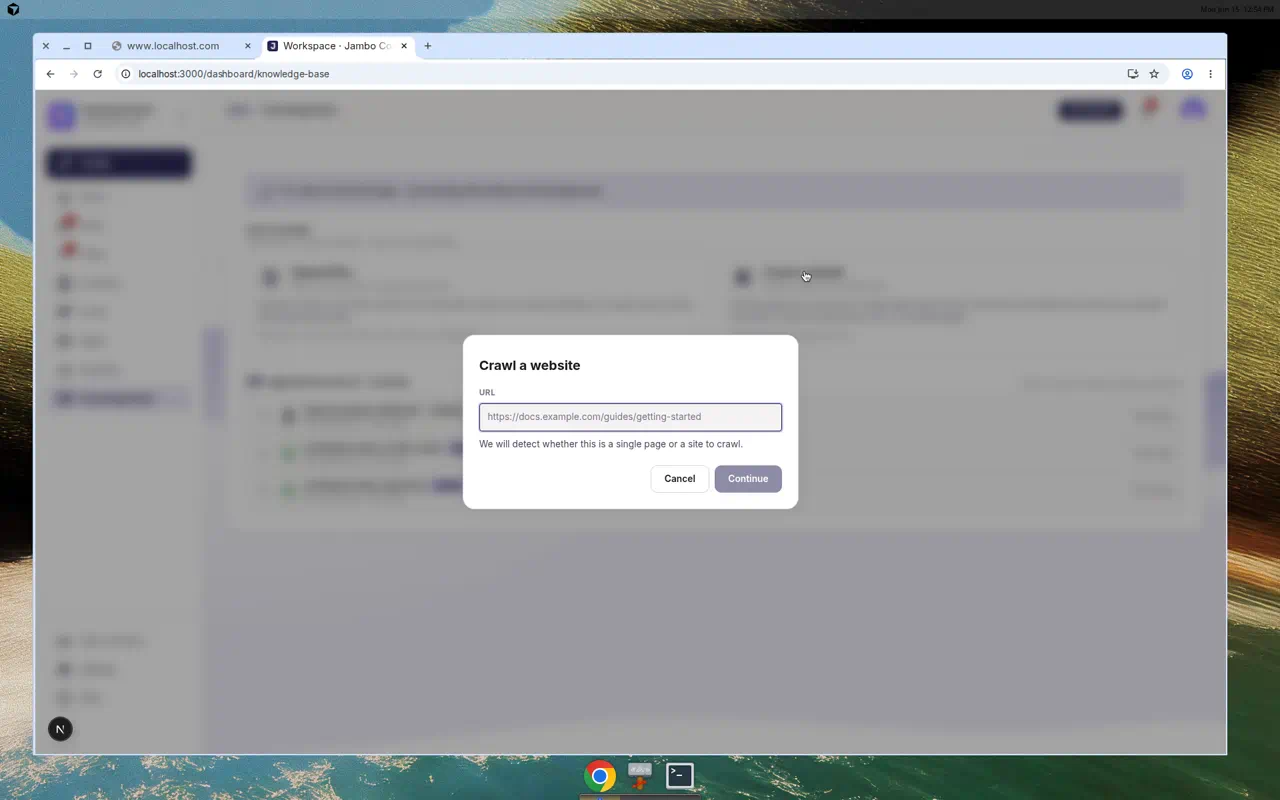
Crawl a website
- Click Crawl a website and enter a URL, then Continue (Jambo analyzes the page).
- Configure crawl — choose Import as: Single page or Site crawl.
- For a site crawl, set the Link depth and Page cap (1–200), then Import page / Start crawl.
Manage ingested sources
Each source appears in Ingested Sources. Expand a row to see its Type (website crawl or document upload), Embeddings coverage, Location, and Details. Available actions:
- Resync (for URL crawls) to re-fetch content.
- Weekly refresh (optional for URL crawls) to check for changes every seven days and re-index only changed pages. Crawl checks count toward your monthly crawl-page allowance.
- Deactivate / Activate to control whether a source is used.
- Delete (with confirmation).
Status badges include Queued, Crawling, Processing, Ready, Inactive, and Failed. While processing, a banner notes: "It's safe to leave this page — processing will continue in the background."
Expand a source to see the pages or documents and a short excerpt of the knowledge stored for each one. Select a document to read its indexed text. If a website blocks automated access, the affected page is marked Blocked with an explanation. A refresh keeps the last successfully indexed content instead of replacing it with the blocked response.
Tips
- Start with your top sources: a pricing sheet, a services one-pager, and your ten most common questions.
- Watch the Embeddings indicator — retrieval is live once chunks are embedded (Ready).
- Keep sensitive material here (inside your workspace); it informs drafts your team reviews, and is not exposed on public forms.
- Make sure a form's Automation tab has Allow agent to use knowledge base enabled so drafts actually use these sources — see Set up agent automations.