Import a form
Recreate an existing form from a public URL, a PDF, or a screenshot, and turn it into an editable Jambo form.
If you already have a form somewhere else, Jambo can analyze it and rebuild it as an editable draft.
Steps
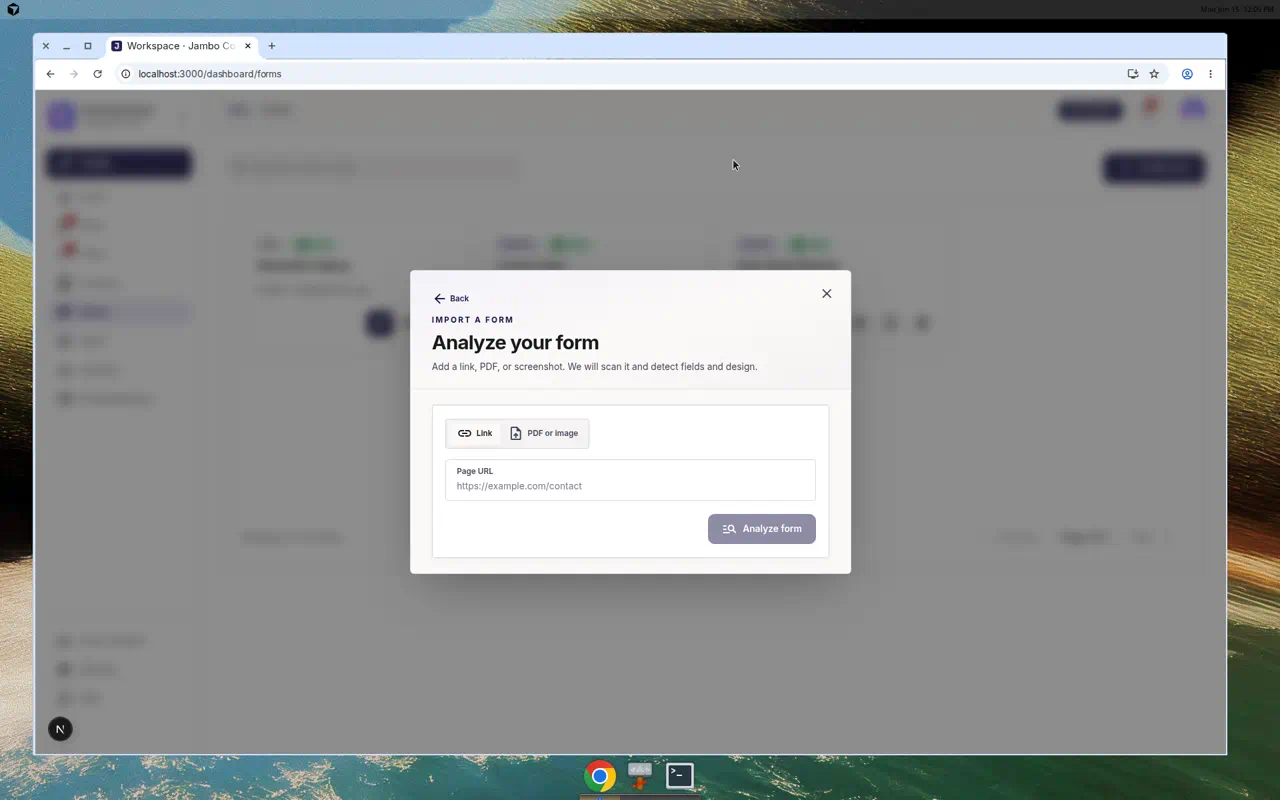
- From Forms, click Create form → Import a form (or open Forms → Import).
- Choose a source:
- Link — paste the Page URL of the form.
- PDF or image — drop a PDF or screenshot ("Drop a PDF or screenshot here" / Choose file, up to 5 MB).
- Optionally add instructions describing what to capture.
- Click Analyze. Jambo shows progress as it reads the source.
- Review the detected fields, then click Build form to open the editor with your imported draft.
From there, refine fields, mapping, design, and automation exactly like any other form — see Build and design a form.
Importing creates a draft. Nothing is public until you publish it.