Plans & billing
View your plan, usage, and invoices, and upgrade or change plans through checkout.
Billing lives under Settings → Billing, with a dedicated upgrade flow for changing plans.
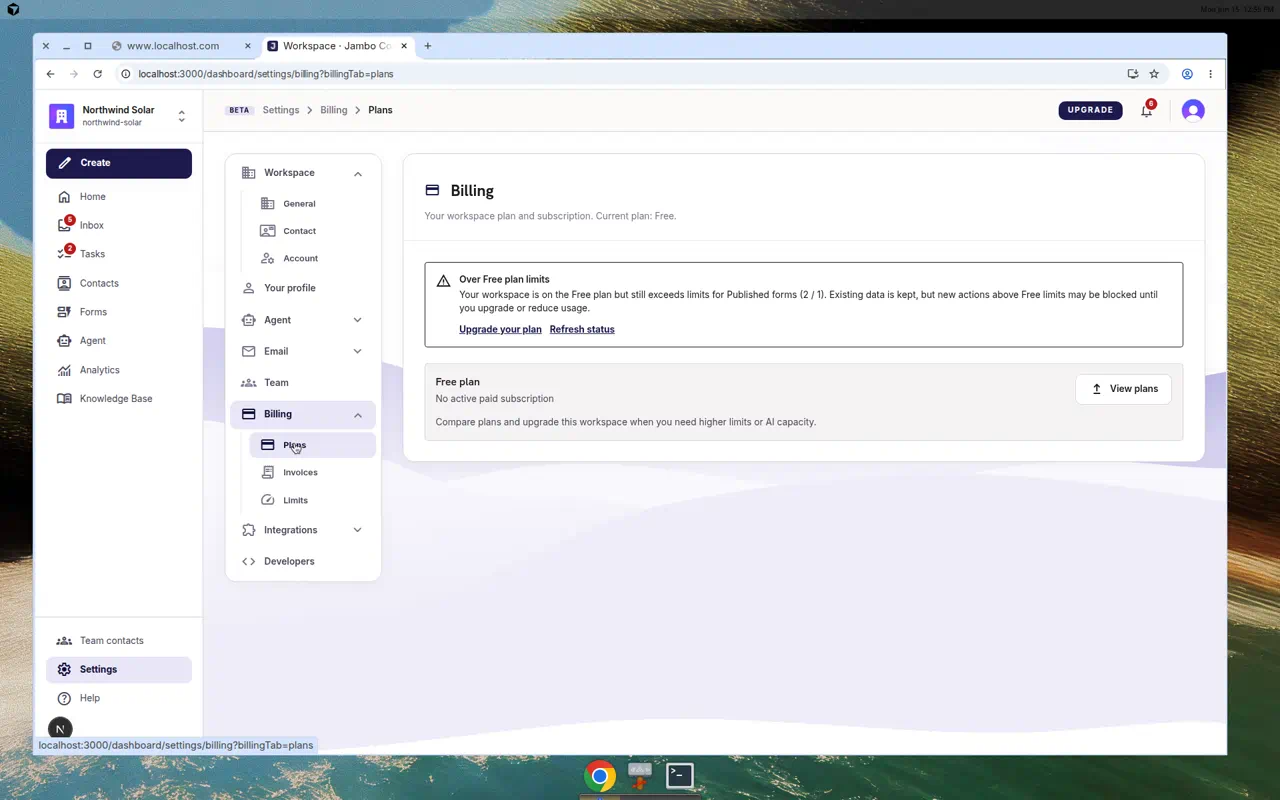
Settings → Billing tabs
| Tab | Shows |
|---|---|
| Plans | Your current plan and subscription actions, with a link to upgrade. |
| Invoices | Payment history. |
| Usage | Activity — email, forms, AI tokens. |
| Limits | Your plan's quotas. |
If you can't manage billing, you'll default to the Usage tab (read-only insight into consumption).
Change your plan
- Click upgrade (from billing or the dashboard's upgrade button) to open the plans screen.
- Toggle monthly/annual pricing and compare Free, Starter, Growth, and Business. Your current plan is badged Current.
- Choose a plan to go to Checkout (
/dashboard/upgrade/checkout), where you complete payment. - After a successful change you land on a confirmation screen with Go to dashboard and View billing settings.
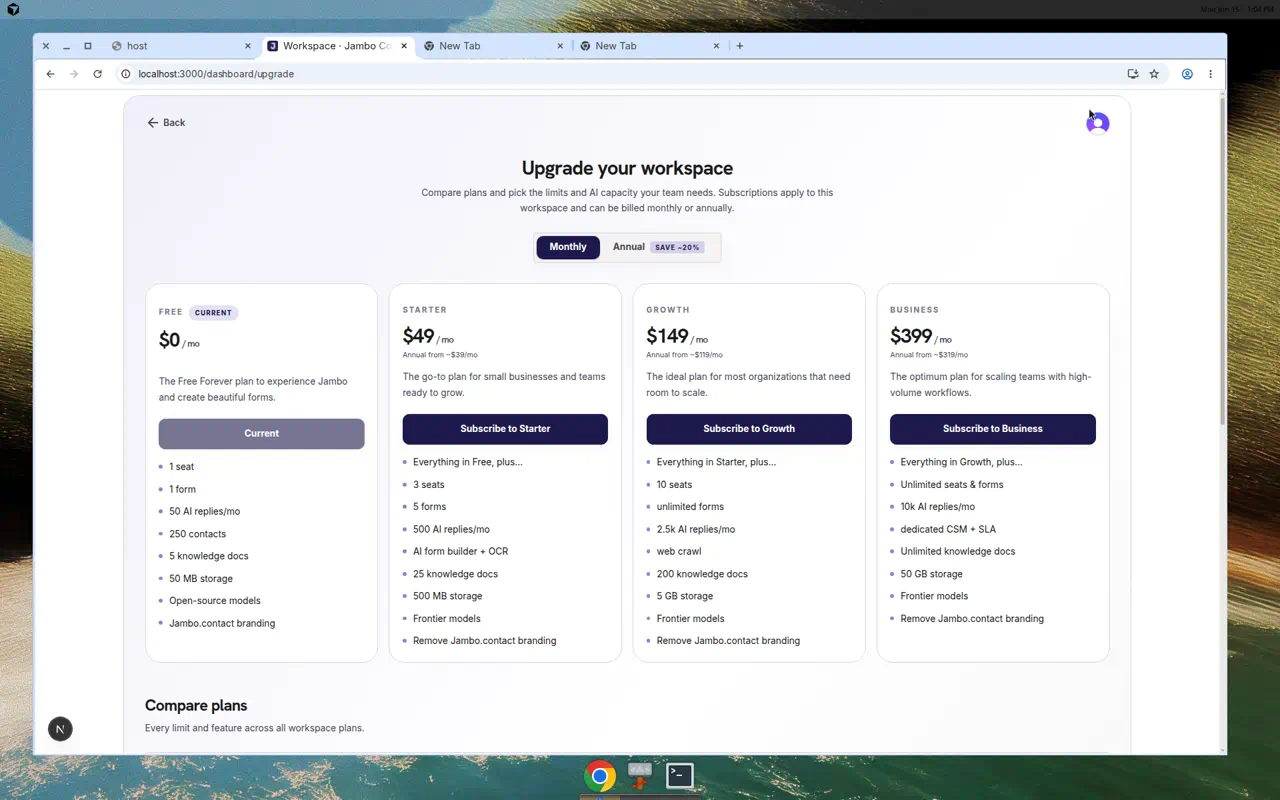
Plan limits affect things like seats, monthly form submissions, contacts, and AI usage. When a limit is reached (for example, monthly form submissions), the affected action is blocked until you upgrade or the period resets.
More in Workspace, team & billing