What is Jambo Contact?
A tour of the product: capture inbound leads, triage them in one inbox, and reply with AI grounded in your own knowledge.
Jambo Contact is an AI-assisted inbound lead-response platform. It helps teams capture leads from branded forms and inbound email, triage everything in one inbox, and reply quickly with drafts grounded in your own knowledge base.
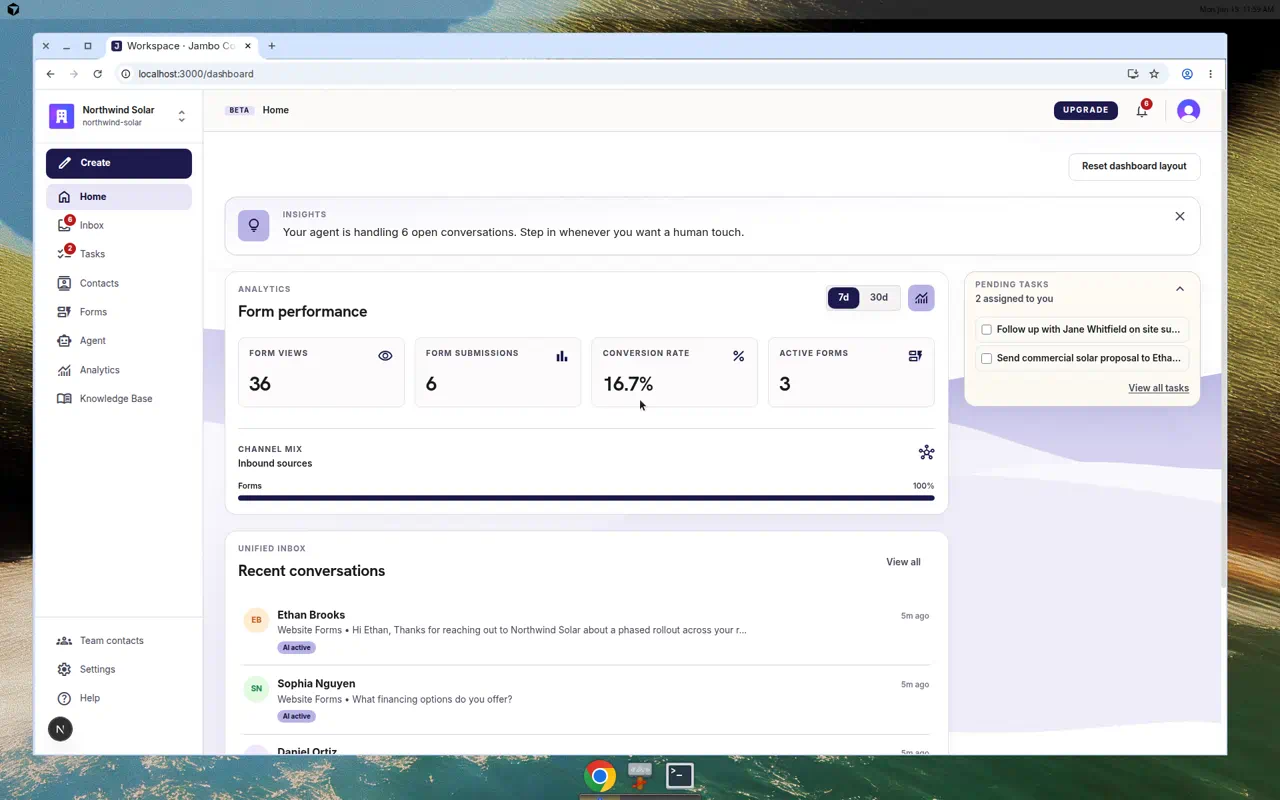
The core building blocks
| Concept | What it is | Where you manage it |
|---|---|---|
| Workspace | Your organization/account. Holds all forms, contacts, conversations, and settings. | Settings → Workspace |
| Forms | Branded, embeddable forms that capture leads. | Forms |
| Inbox | A unified queue of form submissions and inbound email as conversations. | Inbox |
| Agent | The AI that scores, routes, drafts replies, and (optionally) sends them. | Agent + Settings → Agent |
| Knowledge Base | Files and crawled pages the agent uses to ground its replies. | Knowledge Base |
| Contacts | People who have reached out, created automatically from submissions and email. | Contacts |
| Team contacts | Internal people the agent can route leads to. | Team contacts |
How a lead flows through the product
- A visitor submits one of your forms (or emails your workspace address).
- Jambo creates a contact, a lead, and a conversation in your inbox.
- The agent scores the lead, applies your routing rules, and can draft (or send) a first reply using your knowledge base.
- Your team reviews the conversation, edits the draft if needed, and sends the reply.
The fastest way to understand the product is to build a form, publish it, and submit a test lead. Start with Create a form.
Where to go next
- New to the app? Read Set up your workspace (onboarding).
- Want leads flowing today? Follow Create a form → Publish & embed a form.
- Ready to automate replies? See Set up agent automations.
More in Getting started