Navigating the dashboard
A map of the left navigation, the home screen, and where each feature lives.
The dashboard has a persistent left sidebar (primary navigation), a support section at the bottom, and a top bar with notifications and your account menu.
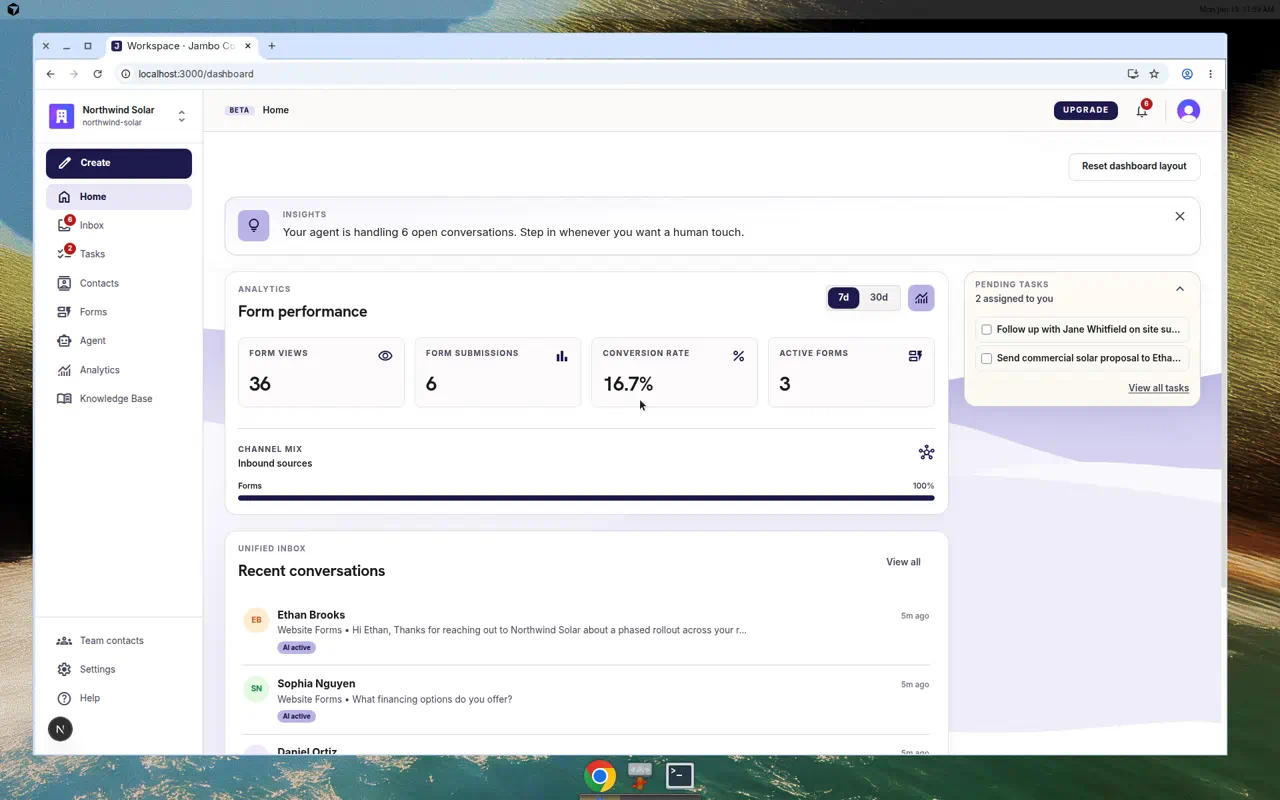
Primary navigation
| Item | What you do there |
|---|---|
| Home | At-a-glance metrics, setup checklist, and recent conversations. |
| Inbox | Triage and reply to conversations (form submissions + email). |
| Tasks | Track follow-ups, either created manually or extracted by the agent. |
| Contacts | Browse people who have contacted you. |
| Forms | Create, edit, publish, and embed forms. |
| Agent | Chat with the workspace AI copilot. |
| Knowledge Base | Upload documents and crawl sites for the agent to use. |
The Tasks item is hidden if your workspace disables the tasks feature in Settings → Workspace.
Support navigation (bottom of sidebar)
- Team contacts — the routing directory of internal people.
- Admin — operator-only tools (only visible to admins).
- Settings — workspace, profile, agent, email, team, billing, integrations, developers.
- Help — support / this help center.
The home screen
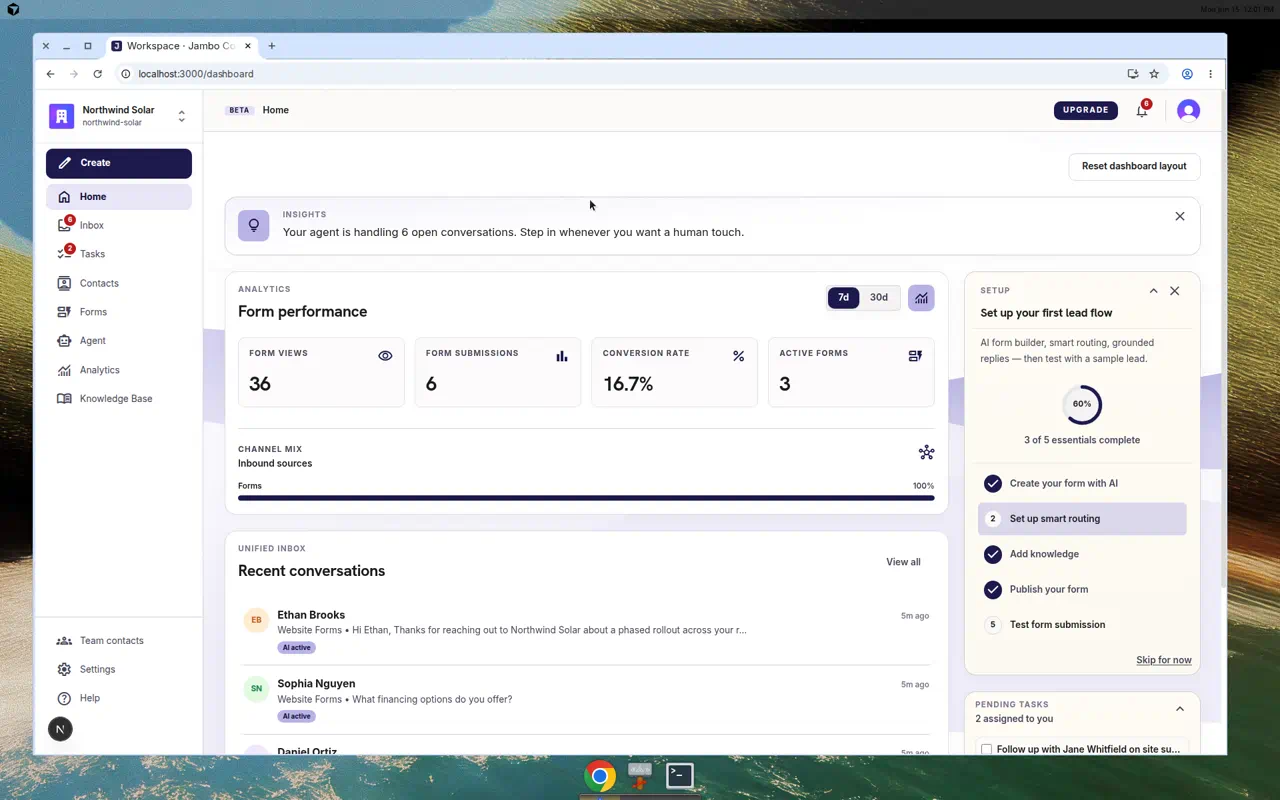
The home screen (Home) shows:
- An insights card summarizing recent activity.
- A setup checklist with your remaining onboarding steps.
- An analytics card: Form Views, Form Submissions, Conversion Rate, and Active Forms.
- Recent conversations, linking straight into the inbox.
More in Getting started