Configure your AI agent
Set the agent's identity, soul, and guidance in Settings → Agent. Personality controls are included under Identity.
Workspace-wide agent behavior lives in Settings → Agent. This controls the agent's name, voice, and operating instructions everywhere it appears, including inbox drafts, the assistant, and automated replies.
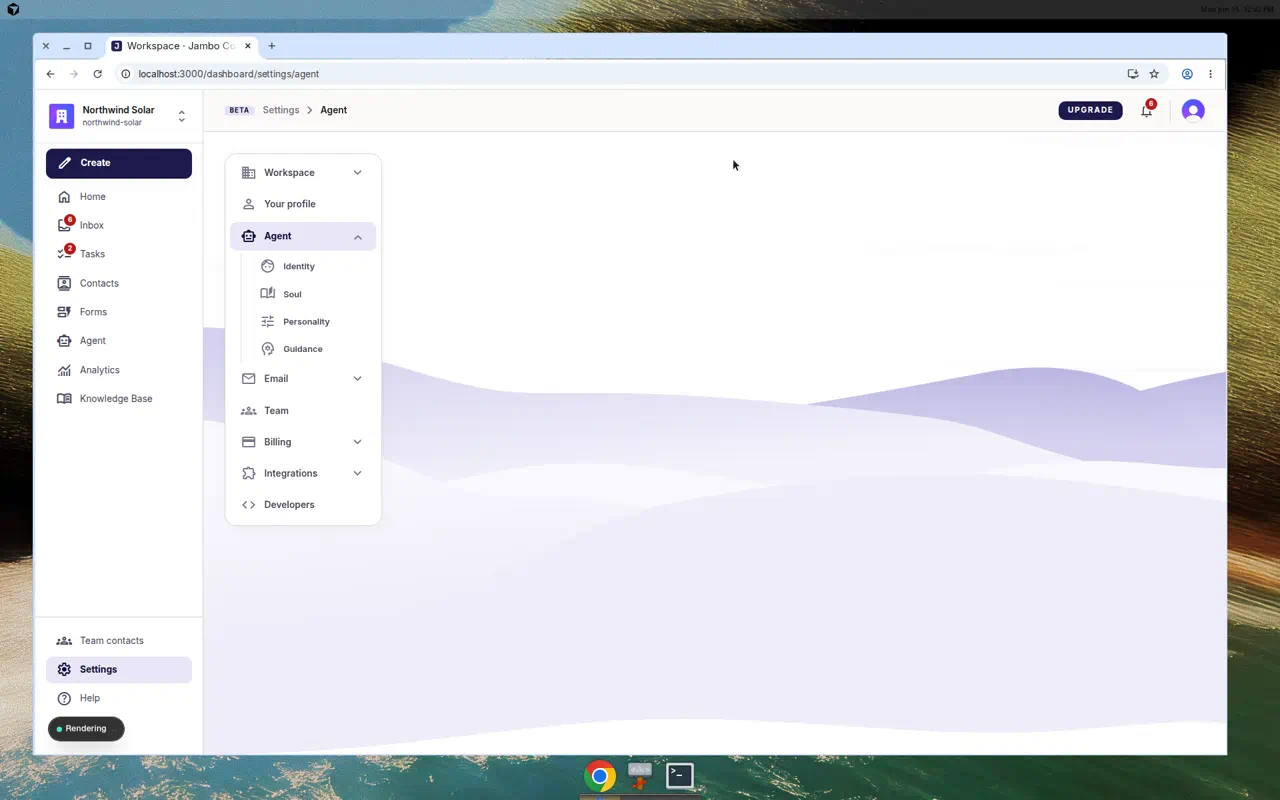
Sub-sections
| Section | What you set |
|---|---|
| Identity | The agent's name, portrait, personality presets, and communication sliders. |
| Soul | A Markdown agent soul that defines who the agent is and how it operates. A collapsible "Tips for writing soul" panel helps. |
| Guidance | Operational Markdown instructions with concrete do/don't rules, such as escalation and what not to promise. |
Writing effective guidance
- Be specific and short. "We don't offer refunds on setup fees" beats twenty generic politeness bullets.
- Put hard rules (pricing limits, escalation triggers) in Guidance; tune communication style in Identity; put identity and role in Soul.
- Test changes before real leads see them. The form editor's routing and automation preview and the Agent assistant let you try prompts.
Identity and voice here are global. Per-form behaviors (first-touch, routing, follow-ups) are set on each form. See Set up agent automations.
More in AI agent & automation