Integrations overview
The three ways to connect Jambo Contact to other tools — custom webhooks, Zapier, and native apps — and when to use each.
Whenever something meaningful happens in your workspace (a form is submitted, a contact is created, a task changes), Jambo emits an event. Those events can fan out to other tools three ways.
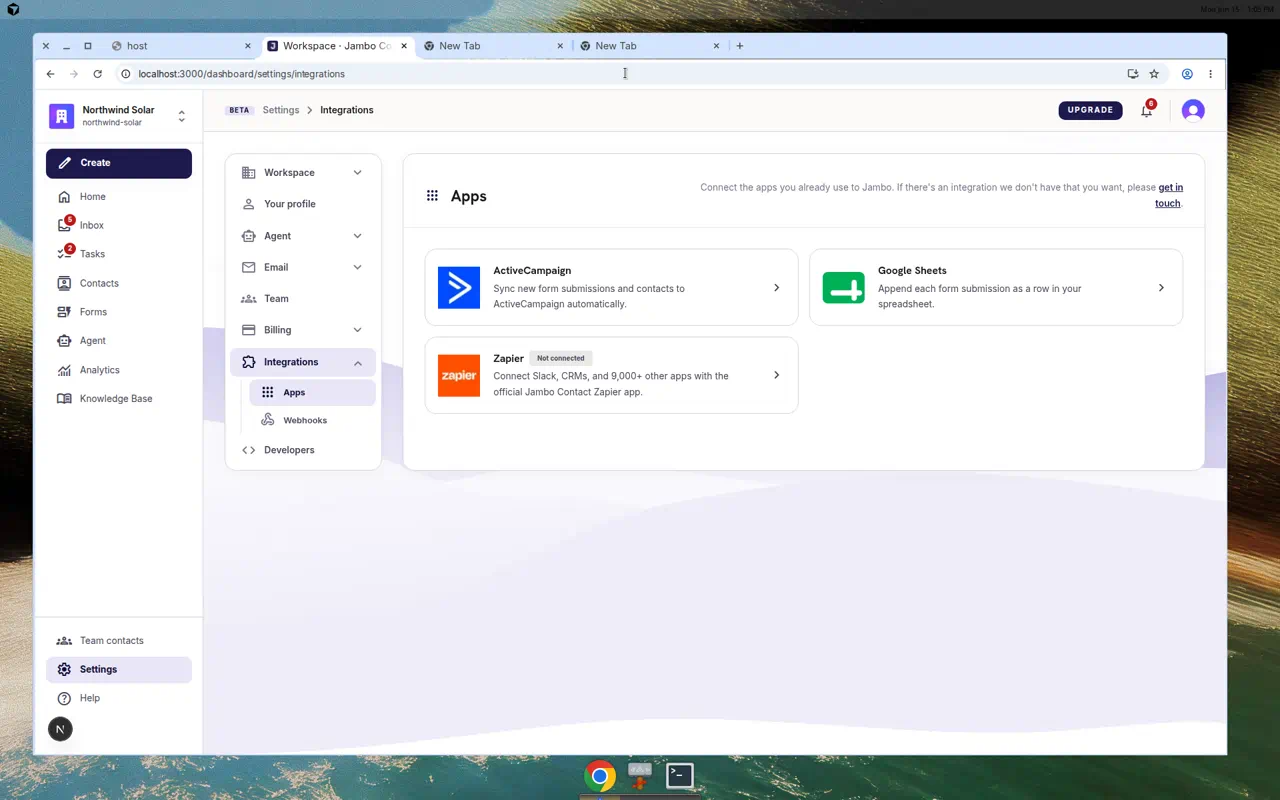
Three tiers
| Tier | Where | Best for |
|---|---|---|
| Custom webhooks | Settings → Integrations → Webhooks | Sending events to any HTTPS URL you control (your backend, Make, n8n, webhook.site). |
| Zapier | Settings → Integrations → Zapier (official app) or Webhooks → Catch Hook URL | Connecting to thousands of apps without code. See Zapier Catch Hook webhooks. |
| Native apps | Settings → Integrations → Apps | First-party connectors with richer UX (currently ActiveCampaign and Google Sheets). |
Event vocabulary
All paths share the same events, including:
| Event | Fires when |
|---|---|
submission.created | A form submission is saved (skips test mode). |
contact.created / contact.updated | A contact is created or changed. |
message.received | An inbound form or email message arrives. |
task.created / task.updated / task.deleted | A task changes. |
test.ping | You click "Send test" on an endpoint. |
Which should I use?
- "Send leads to our internal API" → Custom webhook.
- "Connect to a tool we already use" → Zapier (official app) or Zapier Catch Hook webhooks (no Jambo API key).
- "We use ActiveCampaign / Google Sheets heavily" → Native app.
- "Pull contacts & submissions into our system" → the REST API.
Deeper specifics live in Webhooks, Zapier Catch Hook webhooks, Native integrations, and REST API & API keys.
More in Integrations & developers