Email automation & routing
Configure how inbound email that has no linked form is answered and routed, and manage email templates.
Your workspace has a managed inbound email address. Email that arrives without a linked form is handled by workspace-level email settings (forms use their own per-form settings instead).
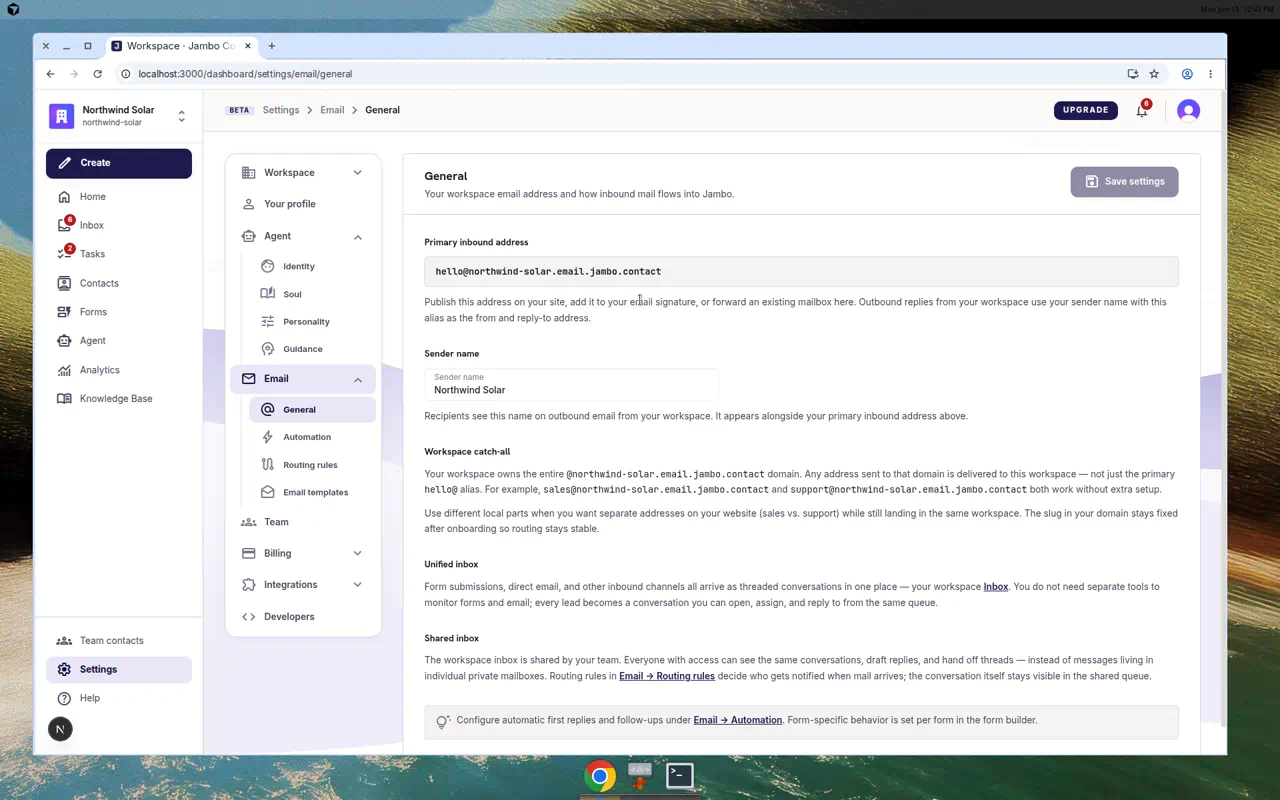
Settings → Email tabs
General
- Primary inbound address — your workspace email alias.
- Sender name — the display name on outbound replies.
- Explainers for the workspace catch-all, the unified inbox, and the shared inbox model.
Automation
The Direct inbound email card mirrors a form's automation options: first-touch sending, template selection, CC/Reply-To, follow-up replies (with max + cooldown), knowledge-base use, enrichment, and task extraction.
Routing rules
- Describe routing for inbound email in the AI routing chat.
- The Routing policy preview shows the compiled rules.
- Reset routing to defaults restores the standard policy.
Email templates
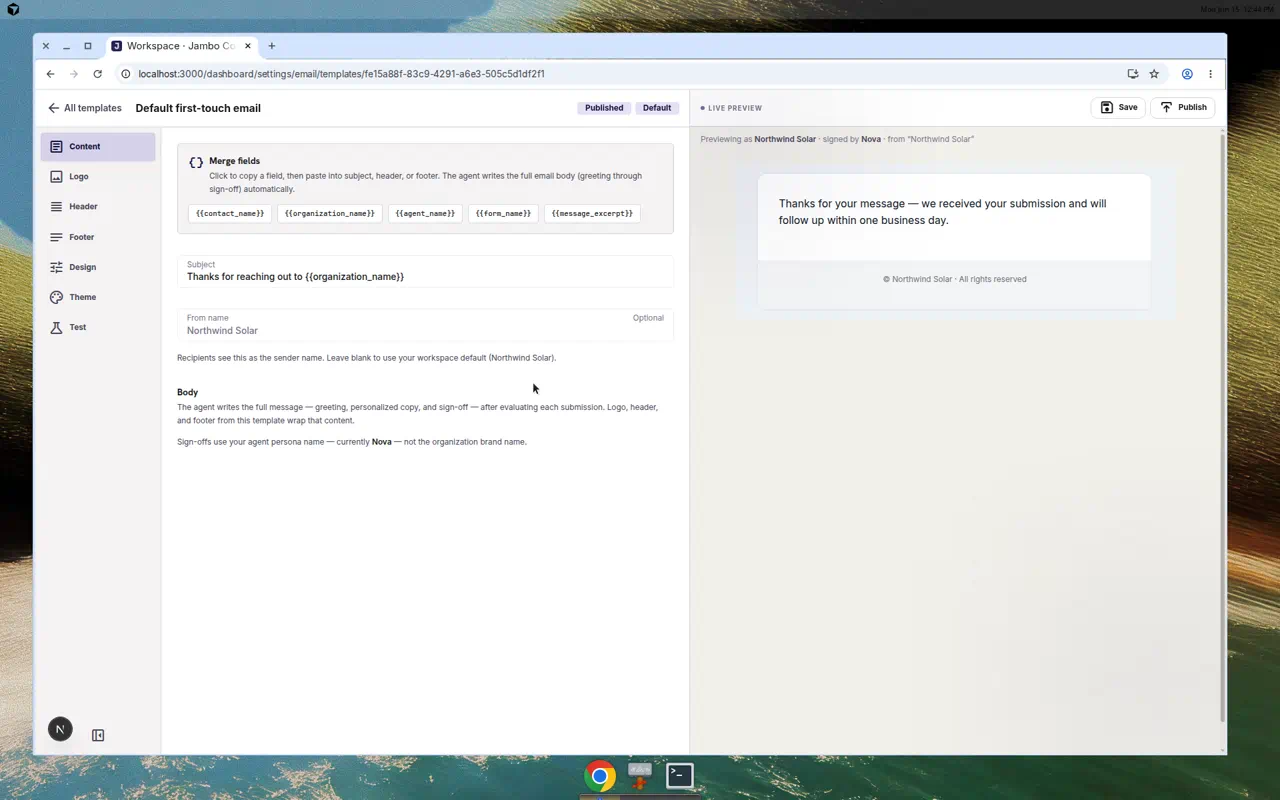
- Manage first-touch and reply templates.
- Open a template to edit it at its own editor page; use {{variables}} like
{{organization_name}}and{{contact_name}}that are filled in at send time.
Relationship to forms
| Source of message | Automation lives in |
|---|---|
| A form submission | The form's Automation / Routing tabs |
| Direct email (no form) | Settings → Email → Automation / Routing rules |
Both paths share the same template library and the same agent identity from Settings → Agent.
More in AI agent & automation