Team contacts & routing targets
Maintain the internal directory of people the AI can route leads to, including import/export.
Team contacts is the internal directory the AI orchestrator routes leads to. These are routing targets — not the same as workspace login members (which live in Team members & roles).
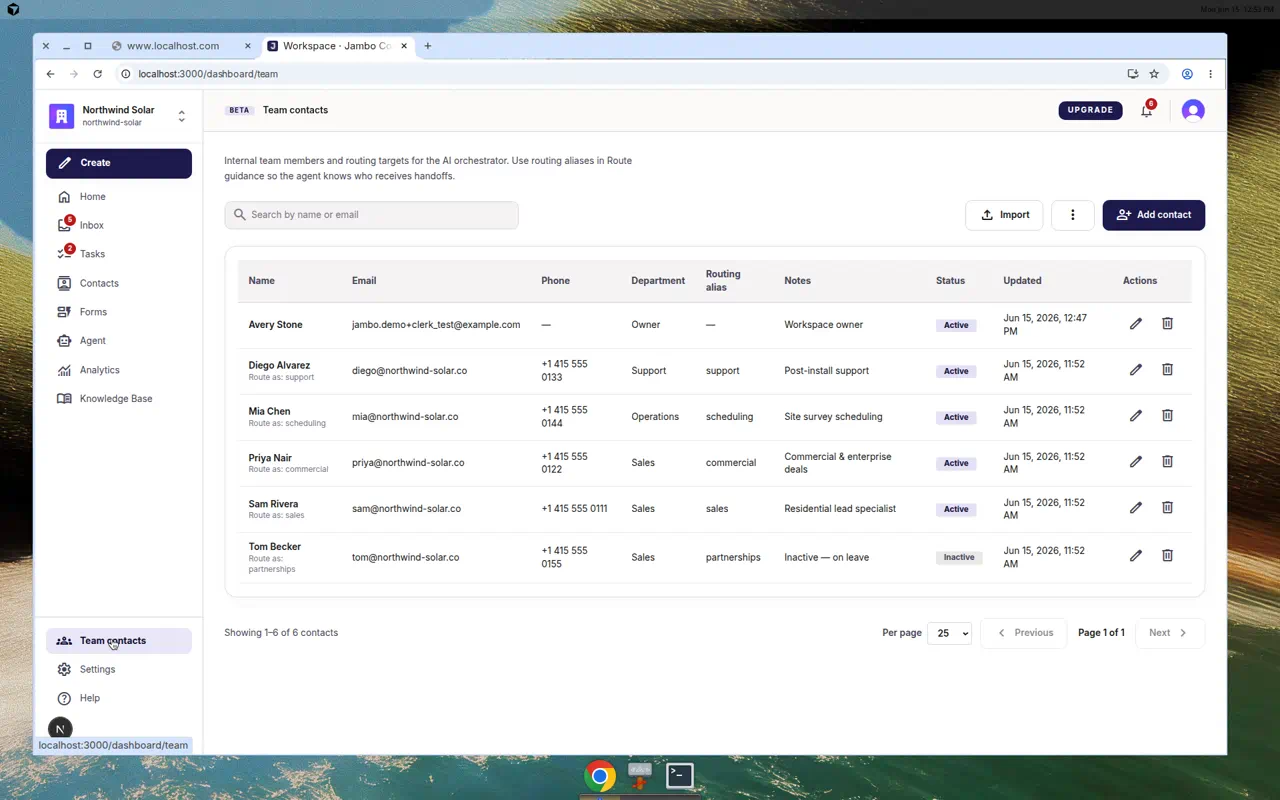
Manage the directory
- Open Team contacts from the left navigation.
- Search by name or email to filter.
- Add contact to create one, or Import to bulk add.
- Export CSV / Export XLSX to download the directory.
Each row has a Name (with a "Route as:" alias), Email, Phone, Department, Routing alias, Notes, Status (Active / Inactive), and last Updated.
Import format
The import template uses these columns:
full_name, email, phone, department, routing_alias, notes, active
Add people here before configuring Routing so the agent has someone to route to. A Routing alias lets you refer to a person by role (e.g. "sales") in routing chat.
More in Inbox, contacts & tasks