Team members & roles
Invite teammates to the workspace, assign roles, and manage seats.
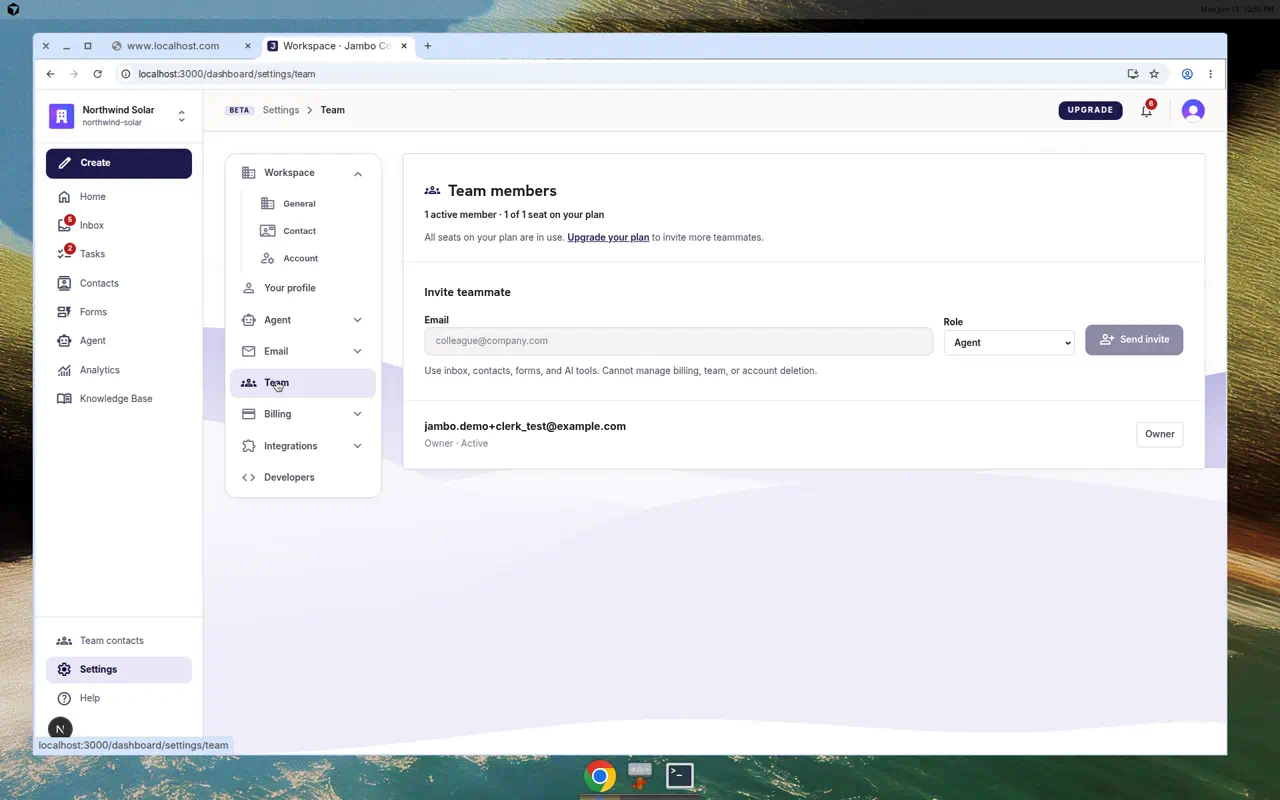
Workspace login members are managed in Settings → Team. These are people who can sign in to your workspace — distinct from Team contacts (routing targets for the AI).
Invite and manage
- Go to Settings → Team. You'll see your Team members and a seat summary.
- Click Invite teammate, enter an Email, choose a Role — Admin, Agent, or Viewer — and click Invite.
- Change a member's role from their row dropdown, or Remove them.
If you're at your seat limit, you'll be prompted to Upgrade your plan — see Plans & billing.
Roles at a glance
| Role | Typical access |
|---|---|
| Admin | Full access, including settings and billing. |
| Agent | Day-to-day work: inbox, forms, contacts. |
| Viewer | Read-only visibility. |
More in Workspace, team & billing