Workspace & profile settings
Edit workspace identity, contact details, branding, timezone, the tasks feature, and your personal profile.
Workspace configuration lives under Settings. The settings shell has a left navigation with sections for Workspace, Your profile, Agent, Email, Team, Billing, Integrations, and Developers. Unsaved changes are guarded so you don't lose edits.
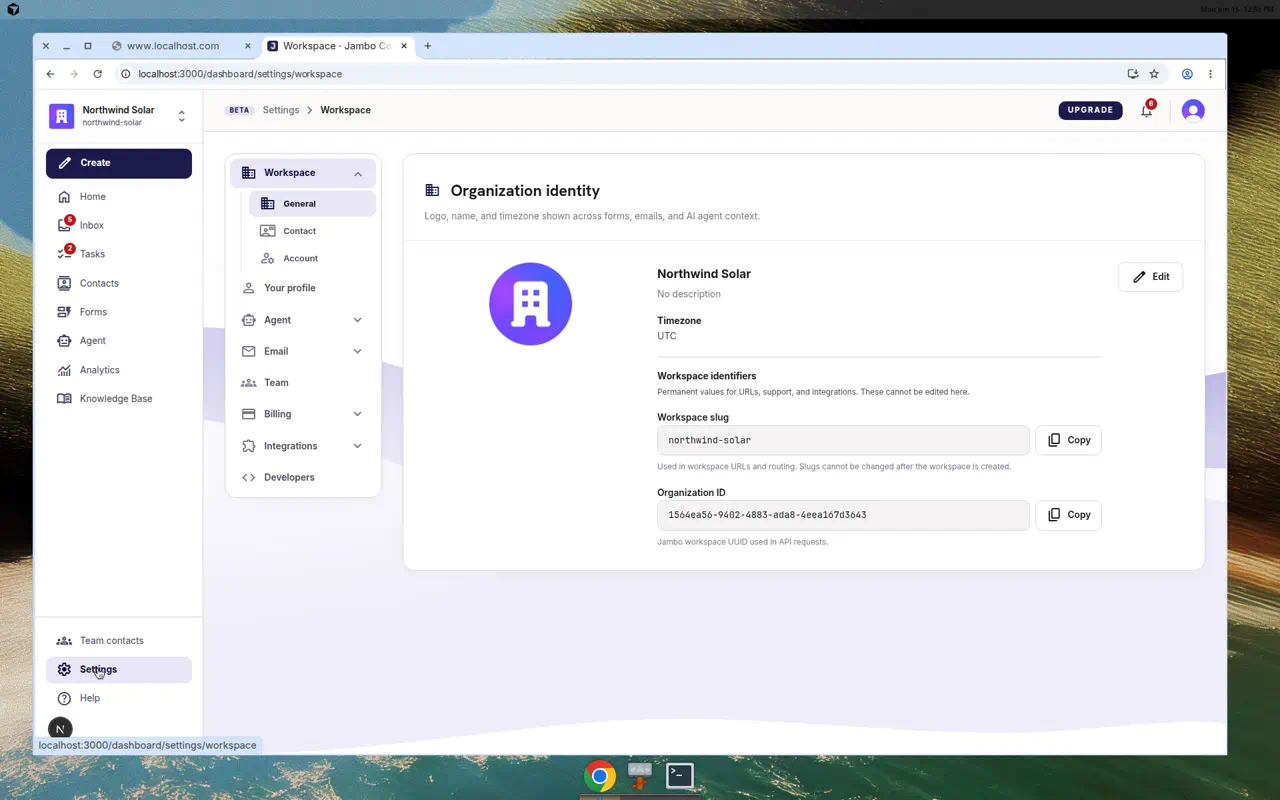
Workspace (Settings → Workspace)
Three tabs:
| Tab | Contents |
|---|---|
| General | Workspace logo, name, brand, timezone, website, phone, description, social URLs, and address. Also Workspace identifiers — Workspace slug and Organization ID (copy-only). |
| Contact | Public business/contact details the agent can use in replies. |
| Account | Account-level options, including the danger zone (deletion). |
A Workspace task settings card lets you enable or disable the Tasks feature (which also shows/hides Tasks in the navigation). Saving shows "Workspace settings saved."
Your profile (Settings → Your profile)
Edit your personal name and photo. This is your user identity within the workspace.
The Workspace slug affects your managed email address and hosted form URLs and is treated as permanent, so change it with care.
More in Workspace, team & billing