REST API & API keys
Create workspace API keys and call the public REST API to read and upsert contacts and submissions.
The public REST API lets you read and write workspace data programmatically. All programmatic endpoints live under https://jambo.contact/api.
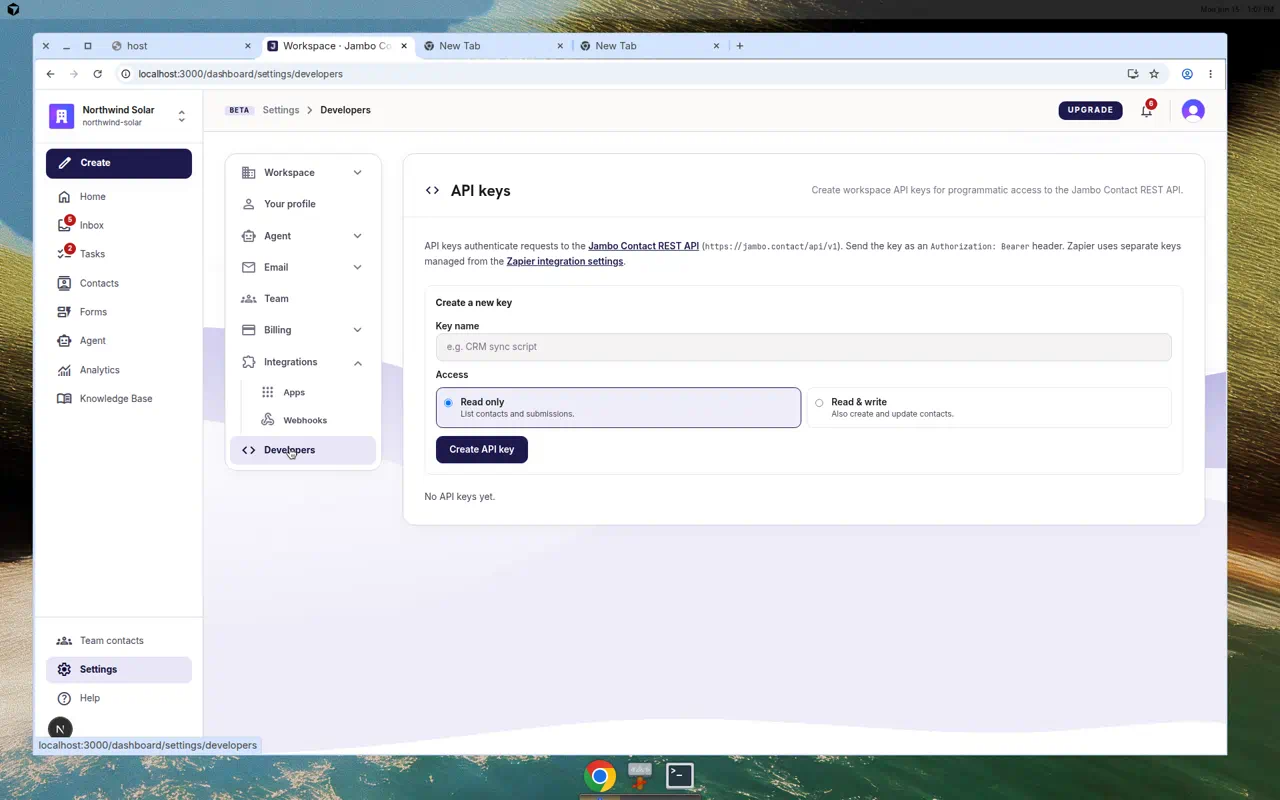
Create an API key
- Go to Settings → Developers.
- In the API keys card, create a key with a name and an access level: Read only or Read & write.
- Click Create — the secret (
jam_…) is shown once. Copy and store it securely. - Revoke keys you no longer need from the same screen.
Authenticate requests
Send the key as either header:
Authorization: Bearer jam_xxx
X-Api-Key: jam_xxx
What you can call
The /v1 surface covers reading and upserting contacts and submissions, plus loading public forms. It is rate limited (about 120 requests/minute per key).
Zapier uses a separate key type (created under Settings → Integrations → Zapier) that only works for Zapier routes. For the interactive reference and OpenAPI spec, see /developers/api and /openapi/integrations.v1.yaml.
More in Integrations & developers